
Deposit your local currency into Solid (local rails powered by TransFi)
Fund Solid straight from your local bank account or mobile money wallet in 16 currencies, with no crypto exchange in the middle. Which countries and payment methods are live, how the flow works, verification, fees, and cash out in Thailand.
You can now fund your Solid Card directly from your local bank account or mobile money wallet, using the payment methods you already use every day. No exchange account, no buying stablecoins first, no picking a network. You pay in your currency and the value lands in your card balance as dollars (USDC).
Local deposits are live in 16 currencies across Latin America, Africa, Asia, the Gulf and the euro area. Thailand is live for cash out. Local rails are powered by our partner TransFi.
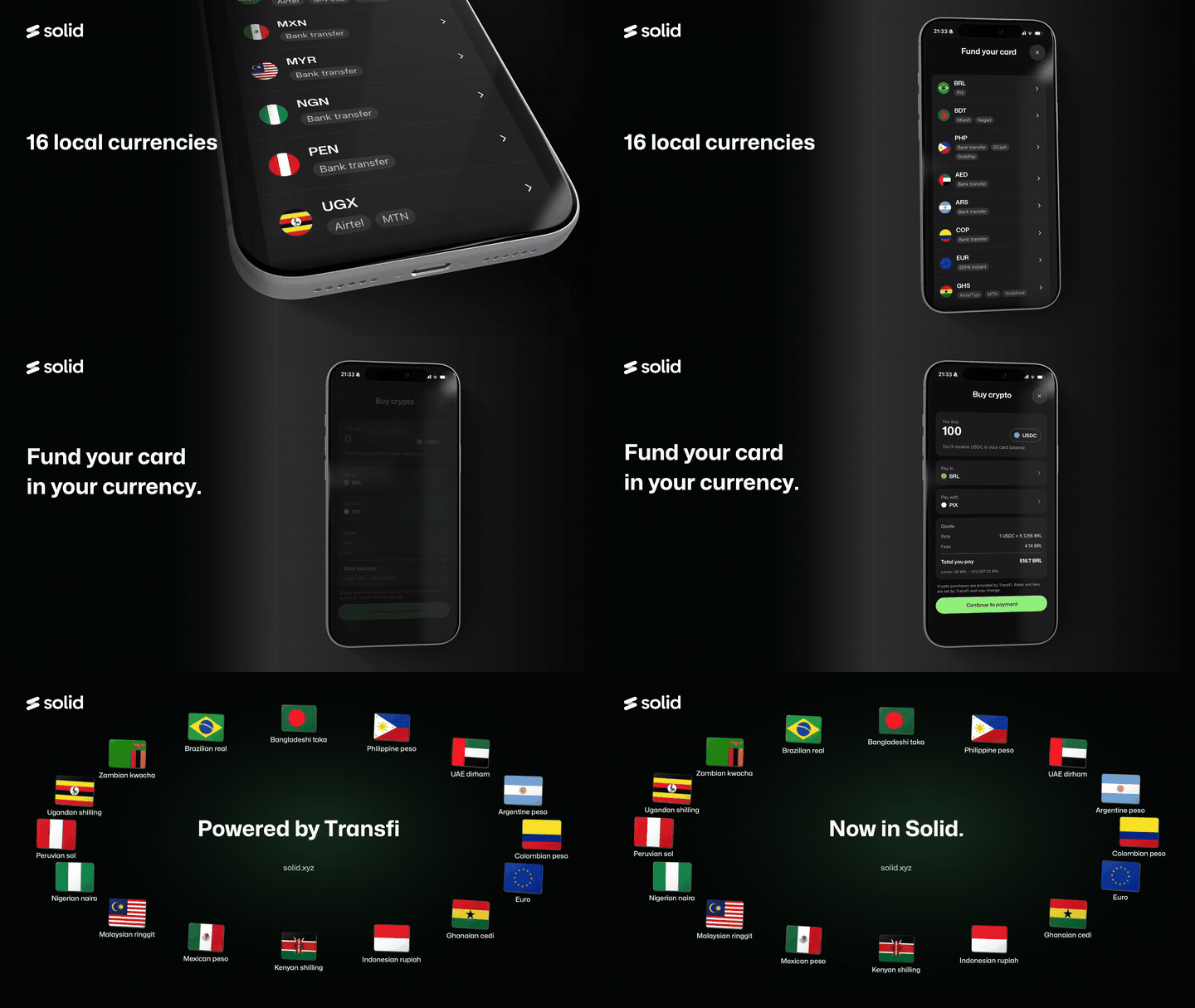
Where local deposits are live
Tap Add Funds in the app and your local currency appears in the Cash deposit section, right below stablecoins, with the payment methods available in your country:
- 🇦🇷 Argentina (ARS): Card, Apple Pay, Google Pay
- 🇧🇩 Bangladesh (BDT): bKash, Nagad, Card
- 🇧🇷 Brazil (BRL): Pix, Card, Bank transfer
- 🇨🇴 Colombia (COP): Card, Apple Pay, Google Pay
- 🇪🇺 Euro area (EUR): SEPA, Bank transfer, Card
- 🇬🇭 Ghana (GHS): MTN, Vodafone, AirtelTigo, Tigo, Card
- 🇮🇩 Indonesia (IDR): QRIS, OVO, Mandiri, Permata, Danamon
- 🇰🇪 Kenya (KES): M-Pesa, Airtel
- 🇲🇾 Malaysia (MYR): FPX, Boost
- 🇲🇽 Mexico (MXN): SPEI, CoDi, Bank transfer
- 🇳🇬 Nigeria (NGN): Bank transfer
- 🇵🇪 Peru (PEN): Bank transfer
- 🇵🇭 Philippines (PHP): QRPH, GCash, PayMaya, GrabPay
- 🇦🇪 United Arab Emirates (AED): Bank transfer
- 🇺🇬 Uganda (UGX): Airtel, MTN
- 🇿🇲 Zambia (ZMW): Airtel, MTN, Zamtel
🇹🇭 Thailand (THB) is currently supported for cash out only: you can send dollars from Solid to a Thai bank account, but you cannot yet deposit THB.
Coming soon: 🇿🇦 South Africa and 🇨🇮 Ivory Coast. We do not put dates on new corridors. When one opens, it appears in the Cash deposit list and we announce it.
Payment methods can change over time. The list shown in the app for your currency is always the current one.
How to deposit your local currency
- Open the Solid app and tap Add Funds. The Fund your card sheet opens.
- Under Cash deposit, select your currency. The payment methods available in your country are listed under each currency. Tap Show more to see the full list.
- On the Buy crypto screen, enter the amount of USDC you want to receive in your card balance, check the currency under Pay in, and choose your method under Pay with (for example Pix, bKash, GCash, SPEI or SEPA).
- Review the quote: exchange rate, fees (TransFi's fee plus Solid's 0.5%), the total you pay and the min/max limits. Everything is shown before you confirm anything.
- Tap Continue to payment, confirm your order and accept TransFi's terms.
- The first time, complete a quick identity verification with TransFi (see below).
- Pay from your bank app or mobile money wallet following the on-screen instructions, within the time limit shown, then tap I have made the payment. Save your proof of payment.
- When the order shows Crypto Delivered, the USDC is in your card balance, ready to spend. You can also move it to your Wallet or Savings at any time: see How to move your card balance back to your Wallet or Savings.
Full walkthrough with order statuses and troubleshooting: How to deposit your local currency: step by step.
Arrival time depends on the payment method. Instant rails (Pix, SPEI, QRIS, GCash, SEPA Instant, mobile money) usually credit within minutes. Standard bank transfers can take longer, and the estimated time is shown in the app before you pay.
Verification
Local currency deposits are a regulated fiat service, so a one-time identity verification with TransFi is required the first time you use them. Have a government-issued ID ready. It is separate from the verification you completed for the Solid Card, so you may be asked to verify even if your card is active.
If you see Verification unsuccessful, check that the name, date of birth and document details match your ID exactly, then try again. If it still fails, open the chat in the app and tell us your country and payment method so we can check with TransFi.
Fees, limits and rates
- TransFi sets its own fee, exchange rate and limits, which vary by country and payment method.
- Solid adds a flat 0.5% fee on top of TransFi's fee, the same for every tier and every currency. For example, on SEPA Instant the total fee is about 0.65%: TransFi's 0.15% plus Solid's 0.5%.
- Both fees are included in the quote as a single Fees line, and everything you will pay is displayed before you confirm. There are no hidden charges added after the fact.
- Your bank or mobile money provider may charge its own fees outside Solid.
Cash out to Thai baht
If you are in Thailand, you can send dollars from Solid to a Thai bank account in THB, powered by the same TransFi rails. The rate, fees and the amount your bank receives are shown before you confirm. Thailand is not yet available for deposits.
Still non-custodial
Nothing about how Solid holds your money changes. TransFi processes the fiat leg of the transaction and nothing else: it converts your local currency and delivers USDC to your card balance. From that point the funds are yours, in a wallet only you control. Solid cannot freeze, move or lock your balance.
Frequently asked questions
Do I need to know anything about crypto?
No. You pay in your currency the way you pay anyone else. The conversion to USDC happens in the background.
My currency is not on the list. Can I still use Solid?
Yes. Crypto deposits work from anywhere in the world, and Virtual Accounts (personal ACH and wire details) are available in supported regions. See Deposit USDC/USDT into Solid and Virtual Accounts on Solid.
Can I cash out to my local currency?
Today, cash out is available in Thailand (THB) only. More withdrawal corridors will be announced as they open.
Do local deposits earn cashback?
Cashback is earned on card spend, not on deposits. Fund your card in local currency, then spend with it to earn cashback according to your Rewards tier. See How does Solid Rewards work?
My payment went through but the deposit is not showing.
Check the TransFi Order Summary first. Give it the estimated time shown for your payment method. If it is still missing after that, open the chat with your TransFi order ID, currency, payment method, amount and proof of payment and we will trace it with TransFi. If the order shows Expired, your payment arrived after the time limit: do not pay again, send us your proof of payment instead.
Is this the same as a Virtual Account?
No. A Virtual Account gives you your own ACH and wire details to receive payments from others into your Wallet. Local currency deposits let you pay in yourself, from your own bank or mobile money wallet, in your currency, straight to your card balance. The two are separate features.
Solid is a non-custodial platform. You control your keys and your funds at all times. Local currency deposits and withdrawals are provided by TransFi and are subject to TransFi's terms and verification requirements. Corridor availability, supported payment methods, fees, limits and settlement times vary by country and payment method, are displayed in the app before you confirm a transaction, and may change. Thailand is currently supported for withdrawals only. Corridors described as coming soon are not yet in effect and may change.
Did this answer your question?