
How cashback works and how to spend it
Solid Card cashback is tiered (3% Core, 4% Prime, 5% Ultra) and paid in USDC, plus category cashback for Prime and Ultra of up to 20% on AI, streaming and music, 10% on rides and 10% on airlines. Here's how it works and how to spend it.
How cashback works
Every eligible purchase you make with the Solid Card earns cashback. Your rate and monthly cap depend on your Solid Rewards tier:
- Core: 3% back, up to $50 per month
- Prime: 4% back, up to $100 per month
- Ultra: 5% back, up to $200 per month
Cashback is paid in USDC. For how tiers work and how to upgrade, see How does Solid Rewards work?
Cashback is credited 14 days after the transaction settles. This delay exists to account for refunds, so cashback is only paid out on purchases you actually keep. If a purchase is refunded or charged back later, the cashback is removed.
You can see the cashback earned on each purchase by opening the transaction in the app: every transaction's details show the merchant, category, and the exact cashback amount for that purchase. Some transaction types never earn cashback: see Cashback exclusions.
Category cashback (Prime and Ultra)
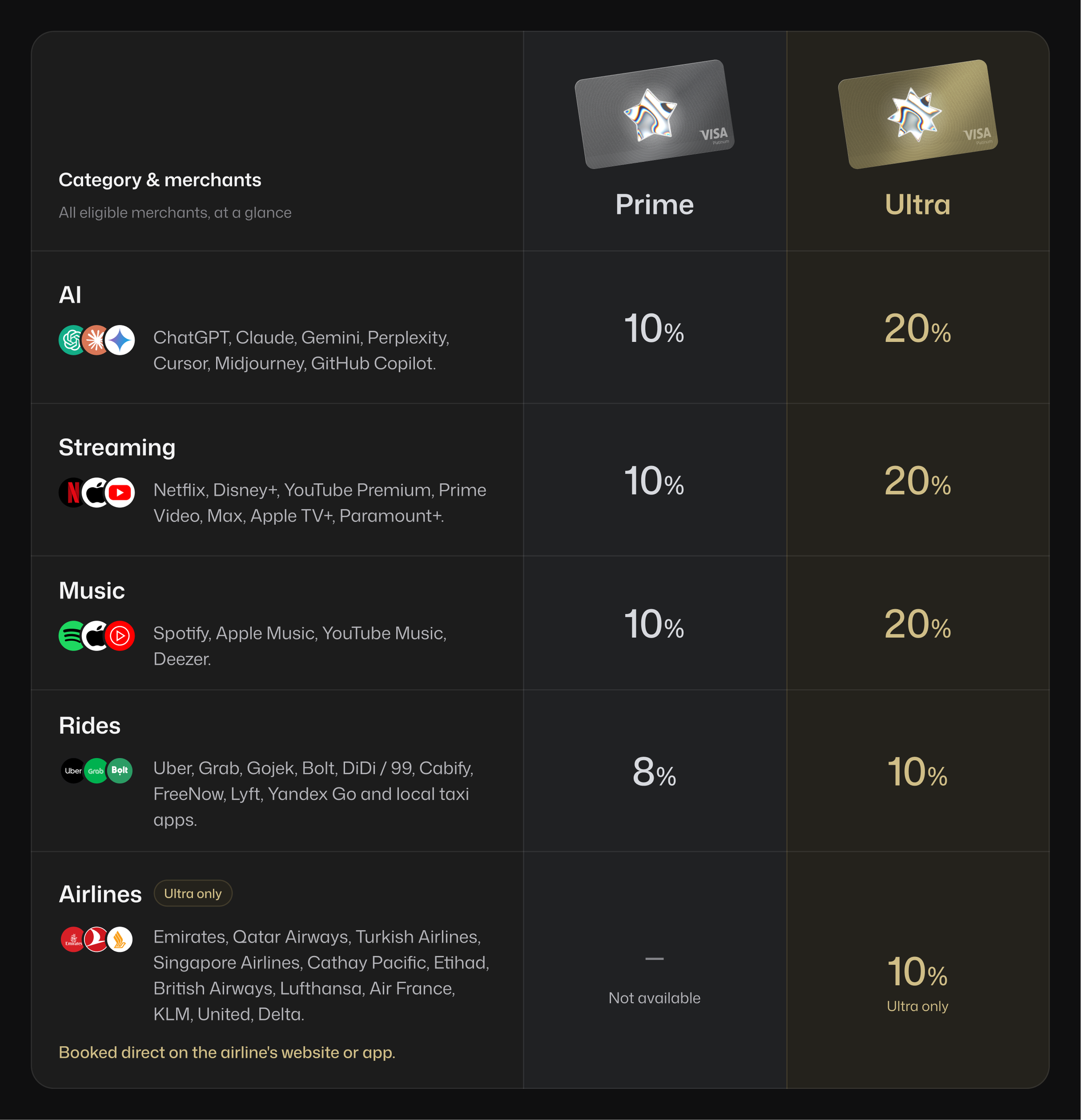
Prime and Ultra members earn a higher rate at these merchants, paid with the Solid card. Prime has four categories, Ultra has five:
| Category | Eligible merchants | Prime | Ultra |
|---|---|---|---|
| AI | ChatGPT, Claude, Gemini, Perplexity, Cursor, Midjourney, GitHub Copilot | 10% | 20% |
| Streaming | Netflix, Disney+, YouTube Premium, Prime Video, Max, Apple TV+, Paramount+ | 10% | 20% |
| Music | Spotify, Apple Music, YouTube Music, Deezer | 10% | 20% |
| Rides | Uber, Grab, Gojek (rides only), Bolt, DiDi / 99, Cabify, FreeNow, Lyft, Yandex Go, local taxi apps | 8% | 10% |
| Airlines | Emirates, Qatar Airways, Turkish Airlines, Singapore Airlines, Cathay Pacific, Etihad, British Airways, Lufthansa, Air France, KLM, United, Delta, booked directly on the airline's website or app | Regular rate | 10% |
A few rules apply:
- The category rate replaces your regular rate on those purchases; the two do not add up.
- One purchase per category per month. In each category, the first eligible purchase of the calendar month earns the category rate. Further purchases in that category during the same month earn your regular card rate. Prime has 4 categories (AI, streaming, music, rides) and Ultra has 5 (plus airlines), so you can earn category cashback on up to 4 or 5 purchases a month.
- Merchants qualify by name. Subscriptions billed through PayPal, Google Play or the App Store, flights bought through travel agencies or booking sites, and hotel bookings earn your regular card cashback instead.
- Monthly cap. Category cashback is paid in USDC and counts toward your tier's monthly cashback cap.
Example (Ultra): you pay ChatGPT $20 and Claude $20 in the same month, plus a $400 flight booked on emirates.com. ChatGPT is your first AI purchase of the month, so it earns 20%, $4. Claude is your second AI purchase that month, so it earns your regular 5%, $1. The flight earns 10%, $40. That is $45 in cashback, within your $200 monthly cap. On Prime, ChatGPT earns 10%, $2, Claude earns the regular 4%, $0.80, and the flight earns the regular 4%, $16.
Already paying for subscriptions with your Solid card? Subscriptions you were paying before 5 October 2026 keep earning the previous subscription cashback, 25% at Prime and 50% at Ultra, under the same one-per-category-per-month rule and capped at $50 per payment, for as long as you keep paying them with your card. Any subscription you start from 5 October 2026 earns the category rates above.
Pay with your Solid card and the cashback is credited automatically. For how to upgrade to Prime or Ultra, see How does Solid Rewards work?
Where does it land?
Your cashback is paid straight into your Savings. It lands in the USDC vault and is automatically converted into soUSD, the yield-bearing version of USDC, so it starts earning yield the moment it arrives. No manual moves needed.
How to spend it
Your cashback lands as soUSD and earns yield automatically, so if you do nothing it simply keeps growing. When you want to use it, you have two options:
- Spend it: move it onto your card. Open the Wallet tab, tap your card, tap Add funds, and top up from your Savings. On a Wirex card the steps differ: see How to deposit money onto your Solid Card.
- Swap to USDC: convert your soUSD back to USDC using Swap in your Wallet whenever you want a plain USDC balance.
For every way to earn with Solid, see How to earn more with Solid.
Did this answer your question?